# PIcroft not responding to mic
**URL:** https://community.openconversational.ai/t/picroft-not-responding-to-mic/11124
**Category:** This category is being retired - Support
**Created:** [August 12, 2021, 11:56pm UTC](https://community.openconversational.ai/t/picroft-not-responding-to-mic/11124 "2021-08-12T23:56:16Z")
**Posts on this page:** 4
**Page:** 1
### Author:  [@brezlord](https://community.openconversational.ai/u/brezlord)
#### Post date: [August 12, 2021, 11:56pm UTC](https://community.openconversational.ai/t/picroft-not-responding-to-mic/11124/1 "2021-08-12T23:56:16Z")
I have successfully installed PIcroft on a PI3b+ with respeaker 2 hat. All of the audio in and out is working correctly when running mycroft-start audiotest but it wont respond to the wake word and there is no activity on the mic, see picture.
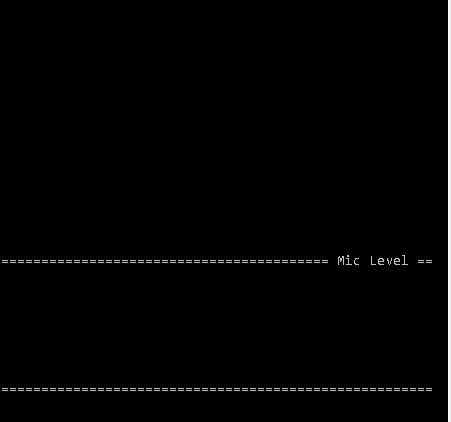
Can anyone tell me where to look next?
---
### Author:  [@Culturedropout](https://community.openconversational.ai/u/Culturedropout)
#### Post date: [August 13, 2021, 12:23am UTC](https://community.openconversational.ai/t/picroft-not-responding-to-mic/11124/2 "2021-08-13T00:23:50Z")
I think I ended up playing with alsa settings before I could get it to work for me…
[https://mycroft-ai.gitbook.io/docs/using-mycroft-ai/troubleshooting/audio-troubleshooting](https://mycroft-ai.gitbook.io/docs/using-mycroft-ai/troubleshooting/audio-troubleshooting)
---
### Author:  [@SGee](https://community.openconversational.ai/u/SGee)
#### Post date: [August 20, 2021, 10:27pm UTC](https://community.openconversational.ai/t/picroft-not-responding-to-mic/11124/3 "2021-08-20T22:27:44Z")
You might have to set up a udev rule
```auto
#!/bin/bash
echo 'SUBSYSTEM=="usb", ATTR{idProduct}=="0018", ATTR{idVendor}=="2886", MODE:="0660"' | sudo tee /etc/udev/rules.d/60-respeaker.rules &> /dev/null
```
toss `/etc/udev/rules.d/60-respeaker.rules` if this wont work.
EDIT: Just realised your talking about a HAT, so i don’t know how the signal is bussed.
This [commit](https://github.com/RPi-Distro/spindle/commit/a1d723753cc521b34b26a53f490365ae4ca8ae46) (unrelated) might give you some ideas. So basically i think it’s a permission issue
---
### Author:  [@brezlord](https://community.openconversational.ai/u/brezlord)
#### Post date: [January 15, 2022, 2:39pm UTC](https://community.openconversational.ai/t/picroft-not-responding-to-mic/11124/4 "2022-01-15T14:39:55Z")
I pass the below audio test and according to [Audio Troubleshooting - Mycroft AI](https://mycroft-ai.gitbook.io/docs/using-mycroft-ai/troubleshooting/audio-troubleshooting) it should just work. But no mic level still.
1. Mycroft Audio Test
Mycroft comes with a built-in audio test. This tool will attempt to record, then play back a short audio clip using the default microphone (source) and speakers (sink). To start the test run:
mycroft-start audiotest
If the test is successful and you hear the recorded audio back, it should be possible for Mycroft to use the intended microphone.