# Picroft 2018-09-12 and the Google AIY Voice Hat
**URL:** https://community.openconversational.ai/t/picroft-2018-09-12-and-the-google-aiy-voice-hat/4725
**Category:** Picroft
**Created:** [October 5, 2018, 8:32am UTC](https://community.openconversational.ai/t/picroft-2018-09-12-and-the-google-aiy-voice-hat/4725 "2018-10-05T08:32:29Z")
**Posts on this page:** 20
**Page:** 2
### Author:  [@andlo](https://community.openconversational.ai/u/andlo)
#### Post date: [October 11, 2018, 6:30pm UTC](https://community.openconversational.ai/t/picroft-2018-09-12-and-the-google-aiy-voice-hat/4725/21 "2018-10-11T18:30:24Z")
Great to hear you got him working……But the process is not easy.
I did notise that alsamixer were at zerro to - so adding to the script to set it to 75% would be a good idea.
I dont understand why you nedded /home/pi/mycroft-core/dev\_setup.sh as I remember that that to is done in the scrpt. I did when I did run it…Strange.
I think the picroft scrit could benefit from a rewrite, so installation of hardware were in differet scripts one for every hardware one will write installation for.
That would make the installation of picroft simpler - get mycroft up and running, and then add hardware. But that is just my opinion.
---
### Author:  [@guidol](https://community.openconversational.ai/u/guidol)
#### Post date: [October 11, 2018, 8:42pm UTC](https://community.openconversational.ai/t/picroft-2018-09-12-and-the-google-aiy-voice-hat/4725/22 "2018-10-11T20:42:57Z")
I did add the 75% to
/home/pi/audio\_setup.sh
```
#!/bin/bash
# Use this script to execute audio setup actions
sudo amixer cset numid=3 "1" > /dev/null
# amixer set PCM 99%
amixer sset Master 75%
```
Now sound is working at boot time 🙂
---
### Author:  [@jannewmarch](https://community.openconversational.ai/u/jannewmarch)
#### Post date: [November 24, 2018, 1:16am UTC](https://community.openconversational.ai/t/picroft-2018-09-12-and-the-google-aiy-voice-hat/4725/23 "2018-11-24T01:16:47Z")
In picroft-google-aiy-voicekit.andlo/\__init_\_.py, create\_skill() creates a new PicroftGoogleAiyVoicehat, but the class is PicroftGoogleAiyVoicekit so loading the skill fails - last word is ‘hat’ vs ‘kit’
---
### Author:  [@baconator](https://community.openconversational.ai/u/baconator)
#### Post date: [November 24, 2018, 6:51am UTC](https://community.openconversational.ai/t/picroft-2018-09-12-and-the-google-aiy-voice-hat/4725/24 "2018-11-24T06:51:23Z")
edited to say: had to add the master fix to the audio setup script. meh.
---
### Author:  [@sixlinux](https://community.openconversational.ai/u/sixlinux)
#### Post date: [December 18, 2018, 3:59am UTC](https://community.openconversational.ai/t/picroft-2018-09-12-and-the-google-aiy-voice-hat/4725/25 "2018-12-18T03:59:31Z")
I got my AIY kit working, but only when I signin to it. There are no mycroft scripts in /etc/init.d/
What do I need to do to get the startup scripts?
One thing I had to do (like guidol did above) was modify /home/pi/audio\_setup.sh to have “amixer set Master 75%” I had to do this as I had no PCM controls (used “amixer scontents” to see what I do have).
---
### Author:  [@KathyReid](https://community.openconversational.ai/u/KathyReid)
#### Post date: [December 18, 2018, 12:17pm UTC](https://community.openconversational.ai/t/picroft-2018-09-12-and-the-google-aiy-voice-hat/4725/26 "2018-12-18T12:17:25Z")
Hi there @sixlinux, welcome, it’s great to have you here.
We [pushed a commit yesterday](https://github.com/MycroftAI/enclosure-picroft/commit/bb67fb66d545ca638ffcfa84a891ed7db867ef44) which is designed to address several AIY kit issues.
Are you able to update your Picroft - a reboot should do it - and see if that addresses the issue?
---
### Author:  [@sixlinux](https://community.openconversational.ai/u/sixlinux)
#### Post date: [December 18, 2018, 11:36pm UTC](https://community.openconversational.ai/t/picroft-2018-09-12-and-the-google-aiy-voice-hat/4725/27 "2018-12-18T23:36:26Z")
Reboot did not fix it, still nothing in /etc/init.d
---
### Author:  [@sixlinux](https://community.openconversational.ai/u/sixlinux)
#### Post date: [December 19, 2018, 12:13am UTC](https://community.openconversational.ai/t/picroft-2018-09-12-and-the-google-aiy-voice-hat/4725/28 "2018-12-19T00:13:56Z")
Reboot did not fix it. I tried imaging a SD card from picroft 2018-09-12, and it did not have the /etc/init.d scripts still. This time I selected option 1 for the audio setup and I got a PCM decvice. After that, the audio still did not work and I got the same error as others regarding the "aiy-python-wheels: protobuf not supported on armv6.1.
So I started over again:
I imaged a SD card from picroft 2018-09-12
I selected 1) Speakers for the audio
Audio test does not work, but continue since that is fixed later
I selected 3) Google AIY
I did a cntl c as soon as it tried to run mycroft (to prevent it from loading “aiy-python-wheels”).
Then I ran andlo’s script: “[https://raw.githubusercontent.com/andlo/picroft-google-aiy-voicekit-skill/master/install\_AIY.sh](https://raw.githubusercontent.com/andlo/picroft-google-aiy-voicekit-skill/master/install_AIY.sh)” This takes awhile, then reboot.
I also did a mycroft-msm install picroft-google-aiy-voicekit in order to get the button to work.
Still nothing in /etc/init.d, so mycroft services do not start unless I signon to it.
---
### Author:  [@sixlinux](https://community.openconversational.ai/u/sixlinux)
#### Post date: [January 28, 2019, 8:13pm UTC](https://community.openconversational.ai/t/picroft-2018-09-12-and-the-google-aiy-voice-hat/4725/29 "2019-01-28T20:13:58Z")
Ok, waited awhile, rebooted, it did updates, now working!
---
### Author:  [@172pilot](https://community.openconversational.ai/u/172pilot)
#### Post date: [March 2, 2019, 8:38pm UTC](https://community.openconversational.ai/t/picroft-2018-09-12-and-the-google-aiy-voice-hat/4725/30 "2019-03-02T20:38:25Z")
> [@sixlinux](#):
>
> mycroft-msm install picroft-google-aiy-voicekit
Wow… this is a lot to follow, but it’s been a couple months since this was updated, and I’m still not having any luck, even following what I think is all the recommendations above. I seem to be stuck with this:
protobuf-3.6.1-cp35-cp35m-linux\_armv6l.whl is not a supported wheel on this platform.
In the bootup, I was getting this:
Traceback (most recent call last):
File “/usr/lib/python3.5/runpy.py”, line 183, in \_run\_module\_as\_main
mod\_name, mod\_spec, code = \_get\_module\_details(mod\_name, \_Error)
File “/usr/lib/python3.5/runpy.py”, line 109, in \_get\_module\_details
**import** (pkg\_name)
File “/home/pi/mycroft-core/mycroft/ **init**.py”, line 17, in
from mycroft.api import Api
File “/home/pi/mycroft-core/mycroft/api/ **init**.py”, line 26, in
from mycroft.identity import IdentityManager, identity\_lock
File “/home/pi/mycroft-core/mycroft/identity/ **init**.py”, line 21, in
from mycroft.util.combo\_lock import ComboLock
File “/home/pi/mycroft-core/mycroft/util/combo\_lock.py”, line 16, in
from fasteners.process\_lock import InterProcessLock
ImportError: No module named ‘fasteners’
but I did find that I could do:
pip install fasteners
And it got me beyond this - I only bring it up in case it helps refine the initial install script or helps someone else, but I’m not sure where to go from here… From the description, it seemed that the AIY kit hardware was pretty much supposed to be working “out of the box” with the raspbian-stretch\_Picroft\_2018-09-12 image, but I’m at a loss… Any ideas??
---
### Author:  [@andlo](https://community.openconversational.ai/u/andlo)
#### Post date: [March 2, 2019, 9:03pm UTC](https://community.openconversational.ai/t/picroft-2018-09-12-and-the-google-aiy-voice-hat/4725/31 "2019-03-02T21:03:39Z")
Great to hear you are going 🙂 The strange thing is I dossnt see same issues when I reflash. OK I havnt reflashed for a monts or so. Yo can open a issue on the gitrepo that you see that module fasteners are missing.
I am just not ure if that is the AIY skill that causes this though. But I will look into it as soon as I reflash again.
> **[andlo/picroft-google-aiy-voicekit-skill](https://github.com/andlo/picroft-google-aiy-voicekit-skill/issues)**
>
> Enables google aiy voicehat button. Contribute to andlo/picroft-google-aiy-voicekit-skill development by creating an account on GitHub.
---
### Author:  [@Olaf](https://community.openconversational.ai/u/Olaf)
#### Post date: [March 17, 2019, 12:11am UTC](https://community.openconversational.ai/t/picroft-2018-09-12-and-the-google-aiy-voice-hat/4725/32 "2019-03-17T00:11:04Z")
Could anybody get it to work in the last weeks? Have tried the methods given above with no luck …
---
### Author:  [@andlo](https://community.openconversational.ai/u/andlo)
#### Post date: [March 17, 2019, 8:27am UTC](https://community.openconversational.ai/t/picroft-2018-09-12-and-the-google-aiy-voice-hat/4725/33 "2019-03-17T08:27:05Z")
Hi Olaf.
By no luck - what do you mean. Any hints of what isnt working? Did the setupwizard install the aiy drivers?
What does aplay -l shows?
It should show something like:
```auto
****List of PLAYBACK Hardware Devices****
card 0: sndrpigooglevoi [snd_rpi_googlevoicehat_soundcar], device 0: Google voiceHAT SoundCard HiFi voicehat-hifi-0 []
Subdevices: 1/1
Subdevice #0: subdevice #0
```
---
### Author:  [@Olaf](https://community.openconversational.ai/u/Olaf)
#### Post date: [March 17, 2019, 6:31pm UTC](https://community.openconversational.ai/t/picroft-2018-09-12-and-the-google-aiy-voice-hat/4725/34 "2019-03-17T18:31:24Z")
Hi @andlo,
I played around a bit today and this is what I have right now, by doing this:
(1) I use a vanilla 9-12 stable image on a v1 board
(2) When it boots I Ctrl-C at the Picroft image
(3) I add my Wifi in /etc/wpa…, delete auto\_run.sh and reboot
> sudo nano /etc/wpa\_supplicant/wpa\_supplicant.conf
> network={
> ssid=“MyNetworkSSID”
> psk=“mypassword”
> }
> Ctrl + X and then Y
(4) And download/replace your 2 scripts from stretch and reboot
> wget [https://raw.githubusercontent.com/andlo/enclosure-picroft/stretch/home/pi/auto\_run.sh](https://raw.githubusercontent.com/andlo/enclosure-picroft/stretch/home/pi/auto_run.sh)
> wget [https://raw.githubusercontent.com/andlo/enclosure-picroft/stretch/home/pi/AIY-asound.conf](https://raw.githubusercontent.com/andlo/enclosure-picroft/stretch/home/pi/AIY-asound.conf)
(5) Guided setup with Y, 4 for AIY and wait around 10 min for install
(6) Type R for reboot as we just installed AIY
(7) N command line (no fasteners)
(8) Updated with
> cd mycroft-core
> git pull
> msm update
I am new to mycroft, so I am a bit at a loss as what to do now?
- `alsamixer` shows that sound is 0, but I can change that with the hints from above.
- `aplay -l` shows exactly your given output
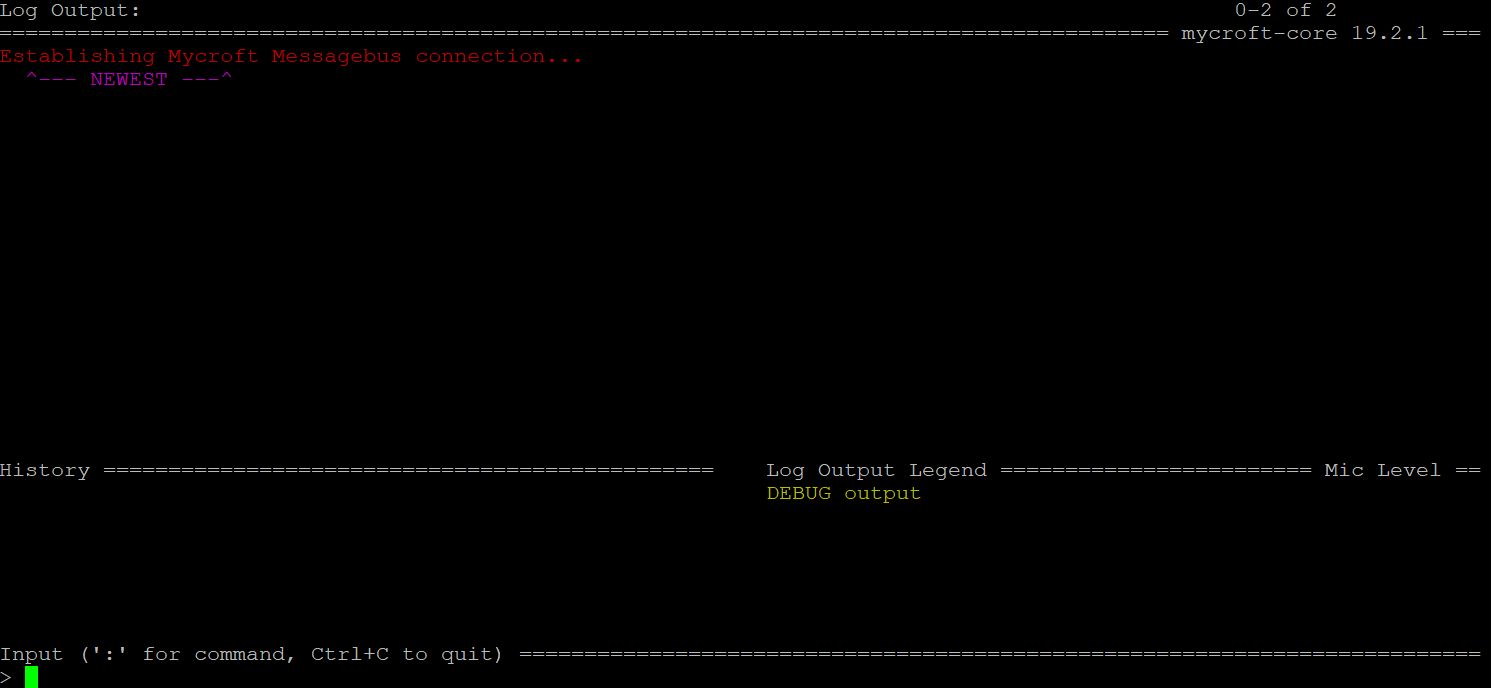
- mycroft-cli-client shows fasteners error (`pip install fasteners` fixes it), then starts and shows the attached output log.
- When I log in, it says I should update via `./dev_setup.sh` but that didn’t work either
Looks like I am missing something or what else can I debug?
Mvh
Olaf
---
### Author:  [@andlo](https://community.openconversational.ai/u/andlo)
#### Post date: [March 17, 2019, 7:13pm UTC](https://community.openconversational.ai/t/picroft-2018-09-12-and-the-google-aiy-voice-hat/4725/35 "2019-03-17T19:13:26Z")
GREAT - you done more than needed I think but that is OK.
As you did a git pull you have to run dev\_setup.sh as stated. But it is a bit misleading that it says ./dev\_setup.sh. That is right when you are in the mycroft-core directory.
So cd /home/pi/mycroft-core and then ./dev\_setup.sh or simple just run
```auto
~/mycroft-core/dev_setup.sh
```
`But I think the 9-12 can install the AIY right from the setup wizard. Same whith wifi.
---
### Author:  [@Olaf](https://community.openconversational.ai/u/Olaf)
#### Post date: [March 17, 2019, 7:54pm UTC](https://community.openconversational.ai/t/picroft-2018-09-12-and-the-google-aiy-voice-hat/4725/36 "2019-03-17T19:54:56Z")
Thanks, I did run mycroft-core/dev\_setup.sh but then I get the classic
> protobuf-3.6.1-cp35-cp35m-linux\_armv6l.whl is not a supported wheel on this platform.
Not sure what to do about it as `pip install protobuf` does not change it
---
### Author:  [@Olaf](https://community.openconversational.ai/u/Olaf)
#### Post date: [March 18, 2019, 8:03pm UTC](https://community.openconversational.ai/t/picroft-2018-09-12-and-the-google-aiy-voice-hat/4725/37 "2019-03-18T20:03:52Z")
Puha, that was tricky. After trying a lot, this will give you a working Picroft + AIY (without wheels, but that is only for installs):
1. Vanilla 2018-09-12.img file on SD card and boot
2. At Mycroft logo do `Ctrl-C`
3. Add Wifi in /etc/wpa… and reboot
> ```
> sudo nano /etc/wpa_supplicant/wpa_supplicant.conf
>
> ```
Insert following text
> ```
> network={
> ssid=“MyNetworkSSID”
> psk=“mypassword”
> }
>
> ```
to get out
> ```
> Ctrl + X and then Y and Enter
>
> ```
1. `Ctrl-C` at startup and download and run new install file from
> wget [https://raw.githubusercontent.com/andlo/picroft-google-aiy-voicekit-skill/master/install\_AIY.sh](https://raw.githubusercontent.com/andlo/picroft-google-aiy-voicekit-skill/master/install_AIY.sh)
> chmod +x install\_AIY.sh
> ./install\_AIY.sh (this takes 15 min)
> sudo reboot5
1. Wait for startup then run `./mycroft-core/dev_setup.sh` as long as it tells you and `reboot` afterwards, eventually it starts into the cli and starts intializing. This takes a while, you should see output and you are asked to register at home.mycroft.ai, do that and wait a while until it stops loading skills.
2. Ctrl-C and install the AIY skill (you can do that in a different ssh window) and reboot
> mycroft-msm install [GitHub - andlo/picroft-google-aiy-voicekit-skill: Enables google aiy voicehat button](https://github.com/andlo/picroft-google-aiy-voicekit-skill.git)
1. Sound is 0, so I set it with `alsamixer` once it booted, will change that later.
@andlo, thanks for providing this skill.
Post if you have any questions installing the current version
---
### Author:  [@retrorich75](https://community.openconversational.ai/u/retrorich75)
#### Post date: [May 6, 2019, 6:08am UTC](https://community.openconversational.ai/t/picroft-2018-09-12-and-the-google-aiy-voice-hat/4725/38 "2019-05-06T06:08:35Z")
Thanks for the guide worked very well for me on a Raspi3B + AIY Hat.
For the sound added the following to audio\_setup.sh
```
amixer set Master 75% # set volume to a reasonable level
```
---
### Author:  [@Olaf](https://community.openconversational.ai/u/Olaf)
#### Post date: [May 6, 2019, 6:31am UTC](https://community.openconversational.ai/t/picroft-2018-09-12-and-the-google-aiy-voice-hat/4725/39 "2019-05-06T06:31:17Z")
@retrorich75 Thanks for that sound bit
---
### Author:  [@gez-mycroft](https://community.openconversational.ai/u/gez-mycroft)
#### Post date: [May 7, 2019, 12:21am UTC](https://community.openconversational.ai/t/picroft-2018-09-12-and-the-google-aiy-voice-hat/4725/40 "2019-05-07T00:21:35Z")
For sound levels, not sure if you tried this already and it didn’t work, but you can set default a default level for the Volume Skill via mycroft.conf. There’s a [short example with the required entries in our docs](https://mycroft.ai/documentation/mycroft-conf/#a-look-at-the-inside-of-mycroft-conf).
[Previous page](https://community.openconversational.ai/t/picroft-2018-09-12-and-the-google-aiy-voice-hat/4725.md?page=1)
[Next page](https://community.openconversational.ai/t/picroft-2018-09-12-and-the-google-aiy-voice-hat/4725.md?page=3)