# Mark II won't boot
**URL:** https://community.openconversational.ai/t/mark-ii-wont-boot/12687
**Category:** This category is being retired - Support
**Created:** [November 6, 2022, 12:24am UTC](https://community.openconversational.ai/t/mark-ii-wont-boot/12687 "2022-11-06T00:24:58Z")
**Posts on this page:** 20
**Page:** 1
### Author:  [@wingzeroalchemist](https://community.openconversational.ai/u/wingzeroalchemist)
#### Post date: [November 6, 2022, 12:24am UTC](https://community.openconversational.ai/t/mark-ii-wont-boot/12687/1 "2022-11-06T00:24:59Z")
So I may have killed my Mark 2 and I am not sure why or how to fix it. After finally getting documentation on Dinkum, I decided to try using a different image as described in the documents. I flashed a new thumb drive and shut down the Mark 2. However, after shutting down the Mark 2, the fan kept running for 15 minutes even after the screen was blank. I had accidentally unplugged the Mark 2 before while it was on and it had booted back up, so I didn’t think anything off cutting the power at this point.
Then I tried removing the old flash drive with Dinkum and putting in a new one before reconnecting the power. The fans came on full blast again, but the screen remained black. Deciding I must not have done something right after waiting 30 minutes, I unplugged it again since I didn’t have any other way to shut it off before putting the Dinkum flash drive back in. Then I switch back to the Dinkum flash drive, but it’s doing the same thing where the fan is on at full blast for 30 minutes and nothing is happening on screen.
Is there an SD card that might be used in the booting process that possibly got corrupted? Is it possible the flash drive itself got corrupted?
I’m at a total loss. I’d like to repair it but don’t know where to start.
---
### Author:  [@Ion9509](https://community.openconversational.ai/u/Ion9509)
#### Post date: [November 7, 2022, 7:46pm UTC](https://community.openconversational.ai/t/mark-ii-wont-boot/12687/2 "2022-11-07T19:46:12Z")
I am in the same boat. I ran into an issue where my Mark II wouldn’t show the SSH option on the Devices page. So after rebooting a couple times, I tried to re-flash the Dinkum image on the USB that came with my Mark II. Aaaaaand, I had the same result as you with the fan on and blank screen.
Has anyone tried and successfully re-image their Mark II?
---
### Author:  [@Rudism](https://community.openconversational.ai/u/Rudism)
#### Post date: [November 8, 2022, 10:14pm UTC](https://community.openconversational.ai/t/mark-ii-wont-boot/12687/3 "2022-11-08T22:14:43Z")
Is there a link somewhere to the Dinkum image? I did make a backup of my USB before starting to tinker, but it would be nice to know there’s a clean/factory image of what shipped with the Mark II that I could restore in a pinch.
---
### Author:  [@Ion9509](https://community.openconversational.ai/u/Ion9509)
#### Post date: [November 9, 2022, 1:55am UTC](https://community.openconversational.ai/t/mark-ii-wont-boot/12687/4 "2022-11-09T01:55:12Z")
@Rudism Here’s the link: [https://mycroft.ai/to/mark-ii\_stable](https://mycroft.ai/to/mark-ii_stable)
---
### Author:  [@gez-mycroft](https://community.openconversational.ai/u/gez-mycroft)
#### Post date: [November 10, 2022, 5:58am UTC](https://community.openconversational.ai/t/mark-ii-wont-boot/12687/5 "2022-11-10T05:58:11Z")
Hey there, can you please confirm the filename and SHA256 hash of the file you used to flash the USB?
```shell
$ sha256sum Downloads/myc200-pv-stable-2022-10-18.img.xz
6c0e54bc63bfcffedc3a507657f1b49c5768148ad9c8ad1bcb75c4e837f0f428 Downloads/myc200-pv-stable-2022-10-18.img.xz
```
I just downloaded a fresh copy to verify that we didn’t accidentally push a bad image to the CDN, and that is booting fine.
It’s possible that your display cable has come loose. We discovered this on a small number of early units and have made changes to our assembly process to mitigate this. If you’re comfortable doing so, you can open the front of the Mark II with a philips head screw driver and check the display DSI ribbon cable by giving it a gently tug. Some more detailed instructions for that here:
> **[20221101-StepbyStep-Display Fix](https://docs.google.com/document/d/13anSZYsCmSj0BkI6roITimG-osEP8z7yxjxiA91FxHU/edit?usp=sharing)**
>
> Guide: Fixing a non-functional display on a Mark II On a small number of Mark II’s it has been reported that the display does not turn on at all. We believe this to be the DSI ribbon cable for the display coming loose during transit. This should not...
---
### Author:  [@Ion9509](https://community.openconversational.ai/u/Ion9509)
#### Post date: [November 14, 2022, 9:02pm UTC](https://community.openconversational.ai/t/mark-ii-wont-boot/12687/6 "2022-11-14T21:02:34Z")
Hey @gez-mycroft,
The SHA256 hash of the file is
6C0E54BC63BFCFFEDC3A507657F1B49C5768148AD9C8AD1BCB75C4E837F0F428
I opened up my Mark II and the display ribbon cable was not loose, even after giving it a little tug. I even unplugged the cable and re-seated it.
However, the behavior of a blank screen and the fan on high blast continues.
---
### Author:  [@colin](https://community.openconversational.ai/u/colin)
#### Post date: [November 14, 2022, 9:10pm UTC](https://community.openconversational.ai/t/mark-ii-wont-boot/12687/7 "2022-11-14T21:10:57Z")
Don’t suppose you have a media usb in as well ? Mine won’t boot with both in. Just a thought
---
### Author:  [@Ion9509](https://community.openconversational.ai/u/Ion9509)
#### Post date: [November 14, 2022, 9:12pm UTC](https://community.openconversational.ai/t/mark-ii-wont-boot/12687/8 "2022-11-14T21:12:49Z")
Nah, just one usb in at a time when I tested it.
---
### Author:  [@gez-mycroft](https://community.openconversational.ai/u/gez-mycroft)
#### Post date: [November 17, 2022, 7:16am UTC](https://community.openconversational.ai/t/mark-ii-wont-boot/12687/9 "2022-11-17T07:16:03Z")
Hi all, if anyone runs into this same issue - I’m very keen to know the filenames of all images you’ve booted on the device. Particularly if you tried using the old Dev Kit Stable image which would be named:
`MarkII_arm-rpi64_Prod_013-stable_2021-12-13.img.gz`
_ **NOTE:** Do not try to use this image in a production Mark II. It may be the cause of this issue, and even if it’s not - it won’t work on the newer hardware. All the new software however works on all previous iterations of the hardware._
For at least one device in this state it is the Raspberry Pi itself that is borked. Eg that Pi will no longer boot anything at all, even in isolation of the rest of the Mark II.
It _might_ be just a bad Pi but given there are a couple of people reporting similar behaviour and they all seem to have booted fine the first time, and then failed after reflashing attempts, it seems far more likely that something is causing the failures.
---
### Author:  [@ashmanskas](https://community.openconversational.ai/u/ashmanskas)
#### Post date: [January 20, 2023, 3:16pm UTC](https://community.openconversational.ai/t/mark-ii-wont-boot/12687/10 "2023-01-20T15:16:59Z")
Hi - My Mark II has been running since early Nov 2022. It was fine yesterday morning. Then yesterday afternoon, I returned after a few hours away and found the screen blank and the fan running loudly. I tried powering it off, waiting some time, and powering it back on. The screen is still blank, and the fan is running loudly. Pressing buttons on the top of the box does not illuminate any LEDs. It does not respond to ping on the IP address to which I had connected in the past. The “My Mycroft” portal indicates that the device has been disconnected for 20 hours. How can I go about debugging this? I have been using whatever flash image was shipped with the Mark II; I have not tried to update it myself. Many thanks! -Bill
---
### Author:  [@scott.werner.vt](https://community.openconversational.ai/u/scott.werner.vt)
#### Post date: [January 21, 2023, 3:18pm UTC](https://community.openconversational.ai/t/mark-ii-wont-boot/12687/11 "2023-01-21T15:18:40Z")
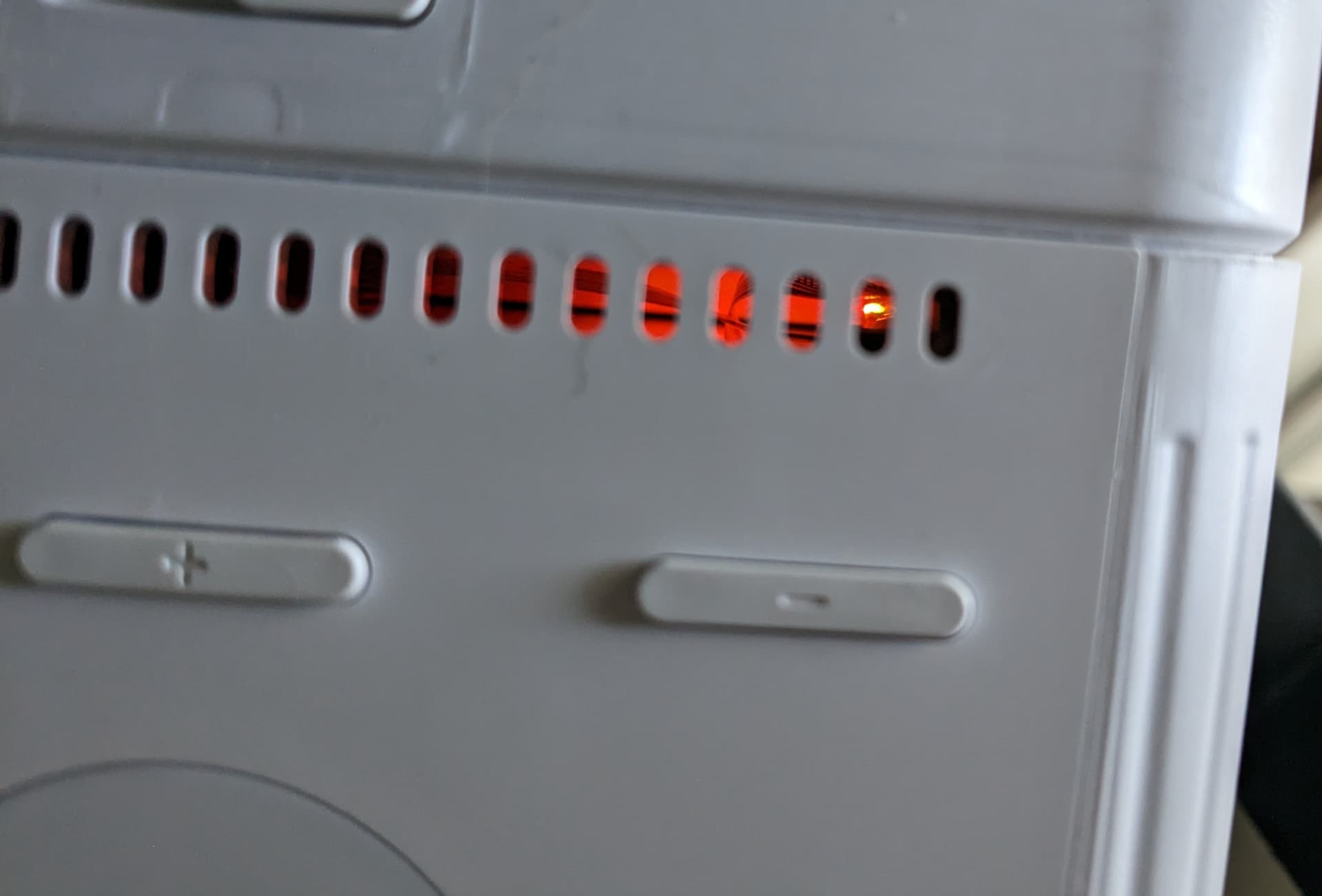
My Mark II is showing the exact behavior as @ashmanskas. It was working this morning, screen went blank with fan running full-speed. Rebooting does not resolve it. I do see red glow inside:
---
### Author:  [@devnill](https://community.openconversational.ai/u/devnill)
#### Post date: [January 23, 2023, 7:23am UTC](https://community.openconversational.ai/t/mark-ii-wont-boot/12687/12 "2023-01-23T07:23:12Z")
I’m having the same issue as well. I’ve been troubleshooting and found that the included thumb drive is dead (to the point where I couldn’t even create a backup iso). I flashed an iso to a spare thumb drive and now it’s working again.
My guess is that the flash is failing in these thumb drives.
---
### Author:  [@wizard113](https://community.openconversational.ai/u/wizard113)
#### Post date: [January 24, 2023, 8:46am UTC](https://community.openconversational.ai/t/mark-ii-wont-boot/12687/13 "2023-01-24T08:46:35Z")
Thanks for the hint on the flash drive - I started having the same symptoms the past few days, and the flash drive does indeed appear dead.
FWIW when I plug it into another host, it gets pretty warm compared to a known good one.
---
### Author:  [@ashmanskas](https://community.openconversational.ai/u/ashmanskas)
#### Post date: [January 24, 2023, 10:53pm UTC](https://community.openconversational.ai/t/mark-ii-wont-boot/12687/14 "2023-01-24T22:53:57Z")
Many thanks for the tip. I also replaced the flash drive, with the “stable” image downloaded from [mycroft-software](https://mycroft-ai.gitbook.io/mark-ii/mycroft-software), and my Mark II is again up and running (though I did need to redo the configuration).
---
### Author:  [@NeonClary](https://community.openconversational.ai/u/NeonClary)
#### Post date: [January 24, 2023, 11:15pm UTC](https://community.openconversational.ai/t/mark-ii-wont-boot/12687/15 "2023-01-24T23:15:14Z")
I also observed that the very small SanDisk flash drives were getting quite hot. It’s one reason we went with a different drive when we purchased some to load our Neon OS on. They’re still small, but they’re metal on the outside, so they dissipate the heat better.
For those of you ordering a new drive, I suggest upgrading to an SSD. We’ve gotten faster performance of our Neon OS with one. It’s only a little edge for most of the on-device skills, but it boots faster and runs noticeably faster for skills that access external data sources. I’d be interested in hearing anyone’s experience who tries using an SSD with the Dinkum or OVOS OS.
On the flip side, I don’t recommend using a random old USB drive from the back of a desk drawer - I loaded our OS on one, a USB 2.0, and it was noticeably slowed.
Another troubleshooting suggestion is to try an alternate OS.
One user told me that he thought his issues were hardware, but when he tried booting his Mark II with our OS the issues were absent, so he was able to realize it was a software issue, not hardware.
If you are experiencing this boot failure, one option would be to test your Mark II with the alternate Mark II operating system “Neon OS”.
You can flash your own USB with the Neon OS that can be downloaded here at no charge: [Neon AI OS for the Mark II | Neon AI](https://neon.ai/NeonAIforMycroftMarkII)
The Neon OS is a fork of the Mycroft OS, and is also open source software.
You can also order the Neon OS on a new 64GB USB 3 drive [on Square](https://neonai.square.site/product/NeonAIMycroftMarkIIBootableUSBDrive/2) for $19.95 - please note this is not a sales pitch since we don’t make money on this. Neongecko is a Mycroft AI Channel Partner and Mycroft Community Developer.
---
### Author:  [@devnill](https://community.openconversational.ai/u/devnill)
#### Post date: [January 24, 2023, 11:35pm UTC](https://community.openconversational.ai/t/mark-ii-wont-boot/12687/16 "2023-01-24T23:35:34Z")
> [@NeonClary](#):
>
> Another troubleshooting suggestion is to try an alternate OS.
While its possible that the OS could be at play, I personally observed that the data storage itself was damaged; I wasn’t even able to create a backup iso of the drive. If it was an issue with data on the filesystem, i would have been able to create an image containing the corrupted data.
In general, flash memory has a relatively low number of read/write operations before it no longer can be used. Since thumb drives are more geared to infrequent writing of files, they lack the features SSD and more expensive sd cards possess. Its also worth adding that one such feature, TRIM/fstrim, requires support from both the hardware and software. I haven’t dug in to the mycroft iso, but its an area which could potentially be optimized in future builds.
---
### Author:  [@brianread](https://community.openconversational.ai/u/brianread)
#### Post date: [January 25, 2023, 8:52am UTC](https://community.openconversational.ai/t/mark-ii-wont-boot/12687/17 "2023-01-25T08:52:34Z")
> [@NeonClary](#):
>
> That’s distressing. I also observed that the very small SanDisk flash drives were getting quite hot. It’s one reason we went with a different drive when we purchased some to load our Neon OS on. They’re
Can you give us a link to the ones you chose?
---
### Author:  [@NeonClary](https://community.openconversational.ai/u/NeonClary)
#### Post date: [January 25, 2023, 10:23pm UTC](https://community.openconversational.ai/t/mark-ii-wont-boot/12687/18 "2023-01-25T22:23:01Z")
Happy to share our info. We chose the 64GB version of these - [USB 3.1 Flash Drive FIT Plus 128GB Memory & Storage - MUF-128AB/AM | Samsung US](https://www.samsung.com/us/computing/memory-storage/usb-flash-drives/usb-3-1-flash-drive-fit-plus-128gb-muf-128ab-am/)
The 64GB is out of stock right now on the Samsung site, but they’re also available on Amazon.
@devnill brought up an excellent point about flash memory having a limited lifespan. That’s something I’ve never had to consider before. I’m just starting down the research path on that, keywords are endurance & P/E cycles. So far, it looks like high temperature reduces the lifespan of flash memory, so switching to the small but metal USB we chose, an SSD, or if it won’t be awkward for you a larger metal USB should give it a longer lifespan.
If you find a choice that looks better than ours, and any more pertinent information, please do share that as well. 🙂
If anyone wants to try an SSD, we shopped around a bit for a good value, and chose this one from among many good choices. I tested and am happy with it, so we set it up as an option on Square also. We’re not an Amazon affiliate.
> **[Amazon.com: JOIOT Mini Portable SSD 240GB External Solid State Drive - Up to...](https://www.amazon.com/JOIOT-Portable-250GB-External-Solid/dp/B09D2RDD8G)**
>
> Buy JOIOT Mini Portable SSD 240GB External Solid State Drive - Up to 540MB/s, USB 3.1 Gen 2 Ultra-Slim External SSD, Blue: External Solid State Drives - Amazon.com ✓ FREE DELIVERY possible on eligible purchases
> **[Neon AI Bootable SSD Drive (240 GB) | Neon AI](https://neonai.square.site/product/neon-ai-bootable-ssd-drive-240-gb-/3?cp=true&sa=true&sbp=false&q=false)**
>
> Get maximum performance out of your Mycroft Mark II device.The Neon AI Enterprise OS is a plug-and-play operating system upgrade for the Mycroft Mark II, developed by Mycroft Channel Partner Neon AI. You can add dozens of new skills to the...
---
### Author:  [@j1nx](https://community.openconversational.ai/u/j1nx)
#### Post date: [January 26, 2023, 9:40am UTC](https://community.openconversational.ai/t/mark-ii-wont-boot/12687/19 "2023-01-26T09:40:23Z")
I just wanted to re-share this post about the Sandisk
> [@Mark II Update - January 2021](https://community.openconversational.ai/t/mark-ii-update-january-2021/10164/9):
>
> Sandisk has some logic for write protection somewhere that is buggy. Most of their sticks at some point run into it at some point; [https://www.google.com/search?q=sandisk+ultra+fit+usb+3.1+read+only&rlz=1C1GCEU\_nlNL936NL936&oq="Sandisk+Ultra+Fit+USB+3.1"+read&aqs=chrome.1.69i57j33i160l3.8946j0j7&sourceid=chrome&ie=UTF-8](https://www.google.com/search?q=sandisk+ultra+fit+usb+3.1+read+only&rlz=1C1GCEU_nlNL936NL936&oq=%22Sandisk+Ultra+Fit+USB+3.1%22+read&aqs=chrome.1.69i57j33i160l3.8946j0j7&sourceid=chrome&ie=UTF-8) A Dutch Tech/Nerd size which is very good for user reviews also says it is slooooowwwww; [https://tweakers.net/pricewatch/1155869/sandisk-ultra-fit-usb-31-32gb-zwart/reviews/](https://tweakers.net/pricewatch/1155869/sandisk-ultra-fit-usb-31-32gb-zwart/reviews/) T…
---
### Author:  [@kickscammed](https://community.openconversational.ai/u/kickscammed)
#### Post date: [January 27, 2023, 8:24am UTC](https://community.openconversational.ai/t/mark-ii-wont-boot/12687/20 "2023-01-27T08:24:33Z")
mine is garbage and I can’t believe I paid money for this. it only boots sometimes and I had to buy it direct because I probably won’t ever see my kickstarter one.
holy crap I should’ve made my own with a raspberry pi.
[Next page](https://community.openconversational.ai/t/mark-ii-wont-boot/12687.md?page=2)